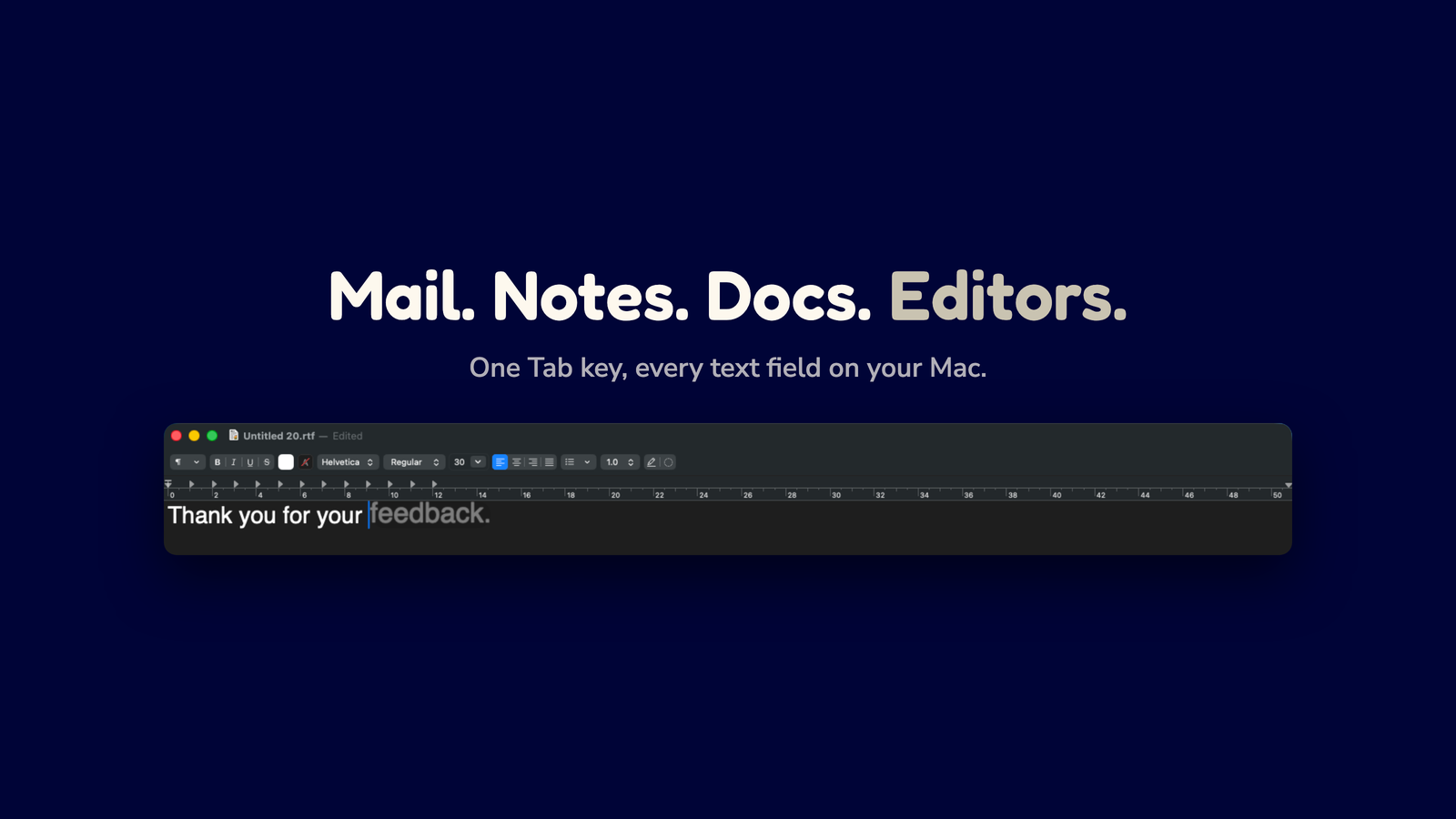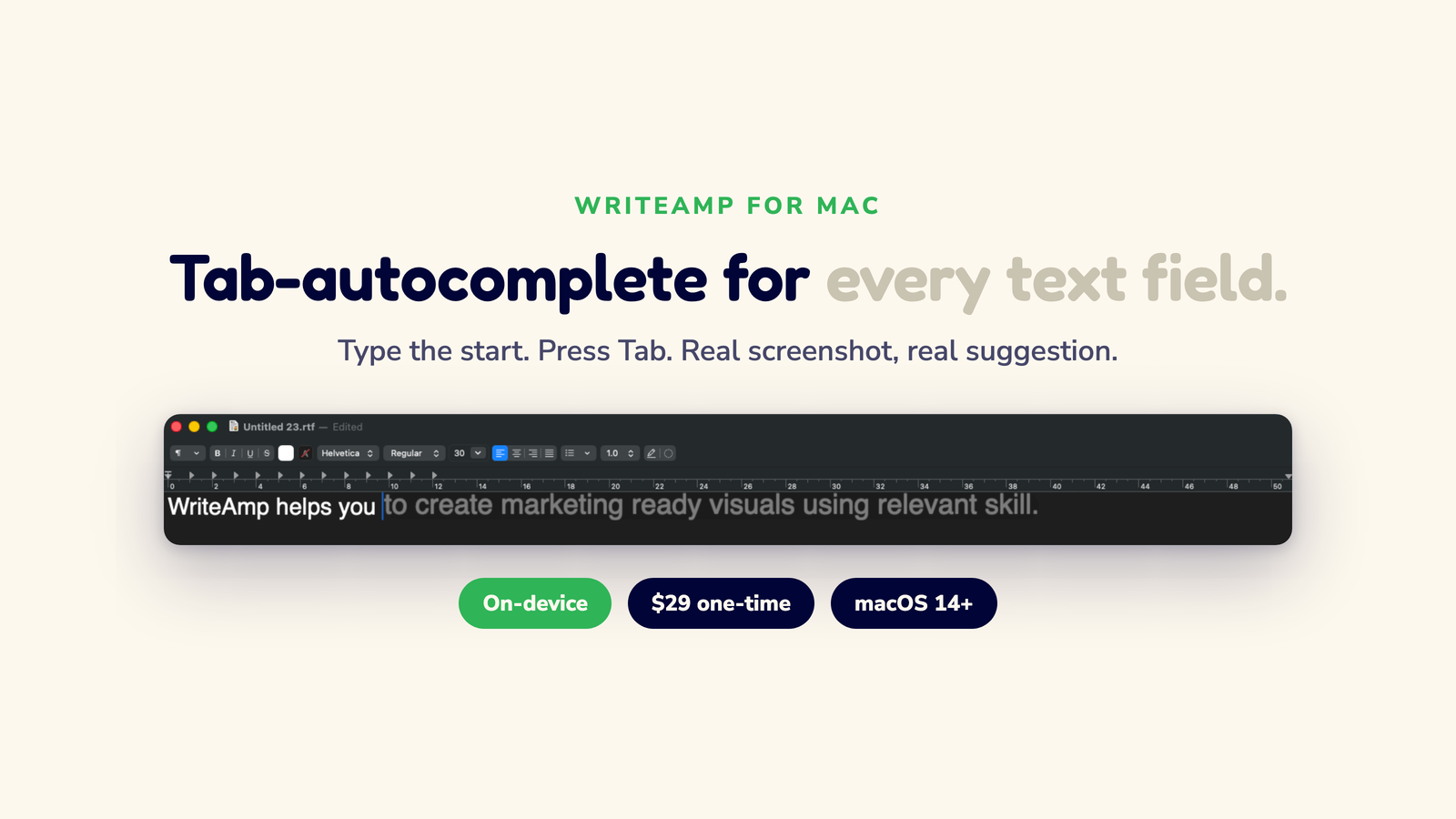
Type a sentence. See the next few wo

WriteAmp is the missing Tab key for your Mac. In native apps like Mail and Notes, the next few words appear inline in light gray. In web fields, they arrive in a neat blue capsule that populates as you type. Either way: press Tab to accept, keep typing to ignore. Everything stays on your Mac, not a server.

  • One key, every app
  • Unlimited suggestions
  • 8 languages, on-device
  • $29 once, no subscription

Suggestions in milliseconds. A decision in one keystroke

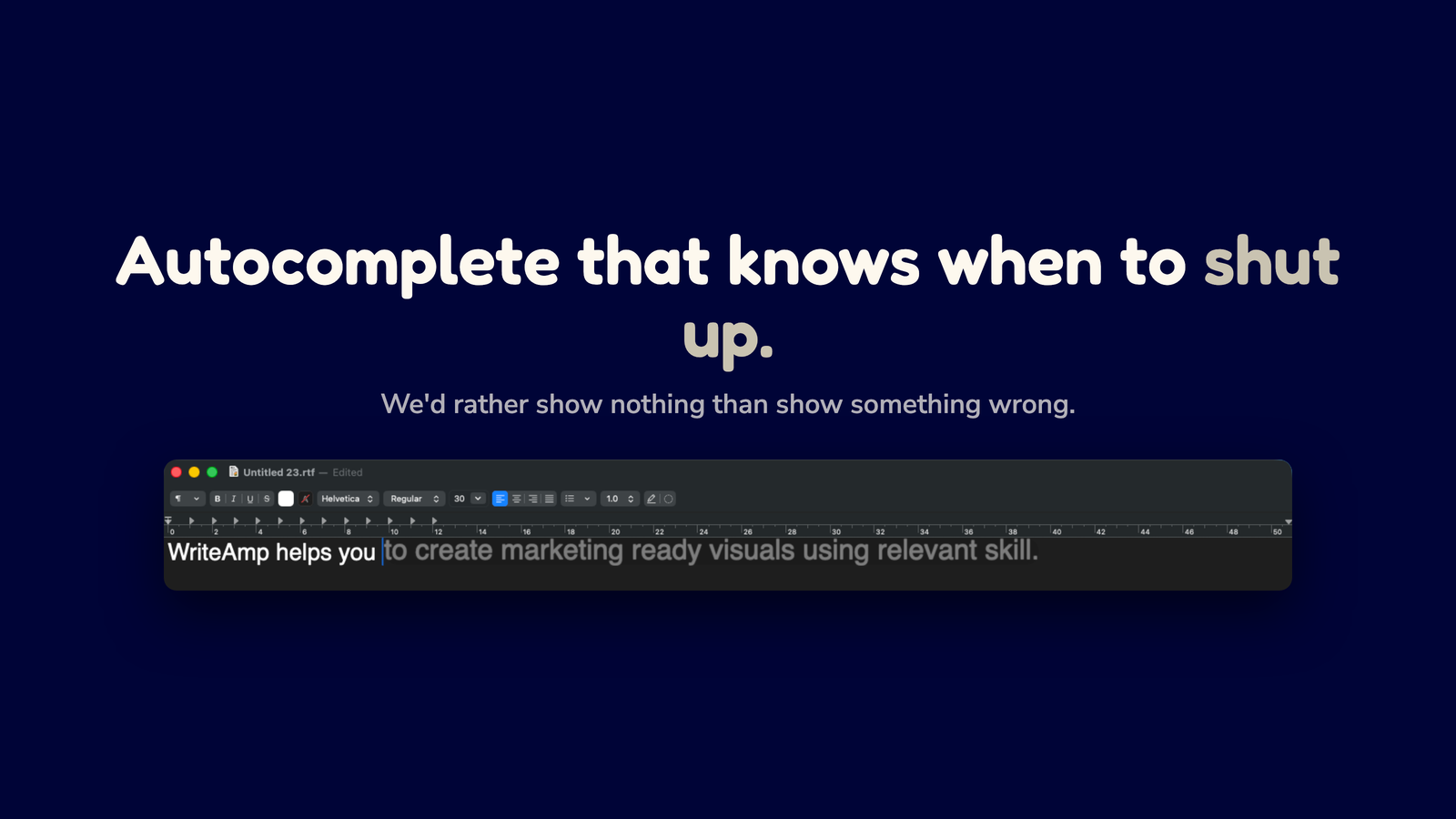
WriteAmp reads what you typed so far, sends it to a small model on your Mac, and shows the next few words at the cursor. In Mail or Notes it looks like faint gray text. In Gmail or Docs it shows as a small blue capsule. Press Tab to take it. Keep typing and it vanishes. The whole thing fits in one hand.

One key · every app
  • Suggestions are short and ignorable

    Only Tab puts text in. Keep typing and it goes away.

  • The interface is the Tab key

    No chat window, no sidebar, no app switching. Everything else lives quietly in Settings.

  • Millisecond suggestions

    The model lives on your Mac. First word shows up right away.

Encrypted local memory

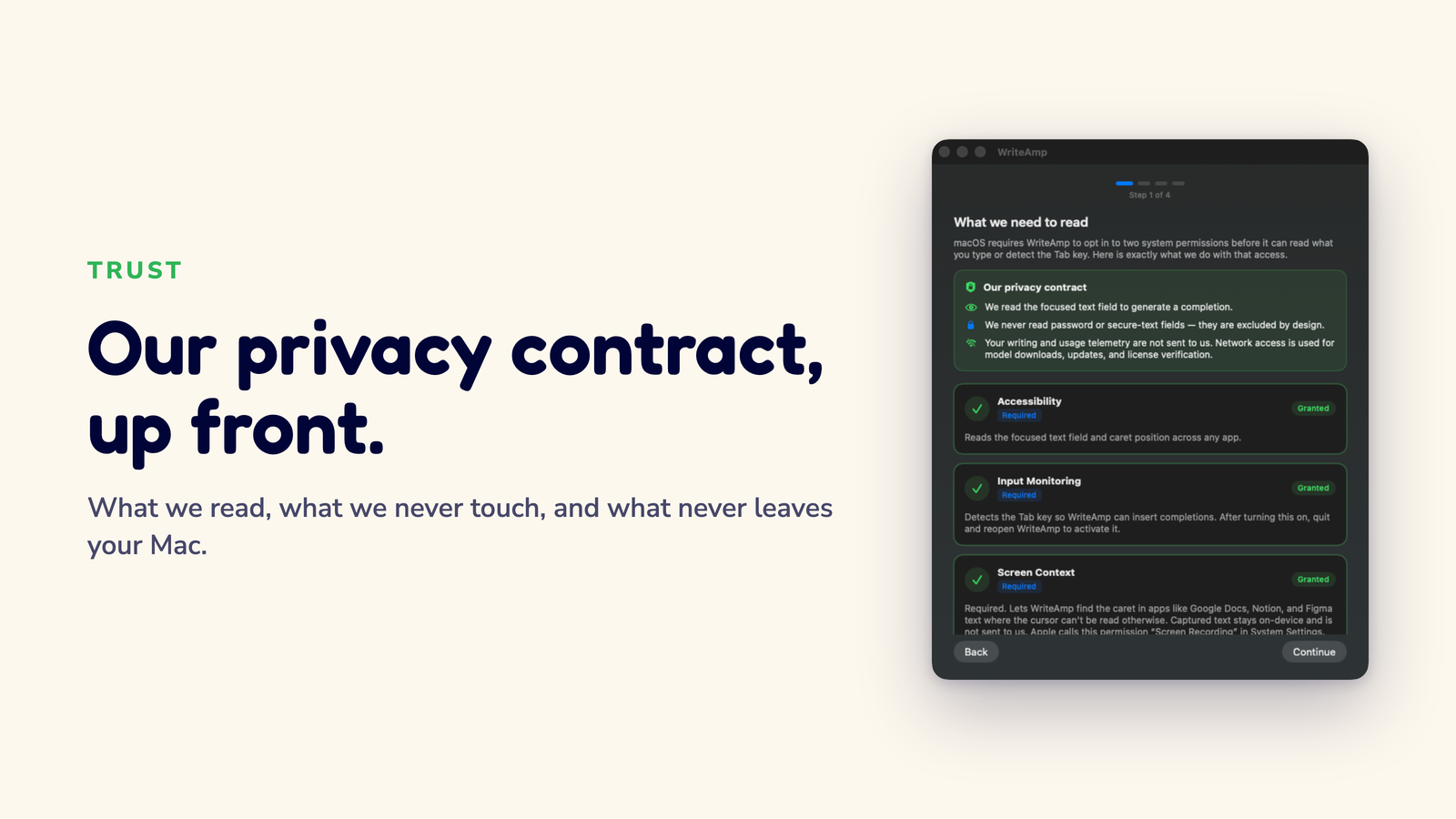
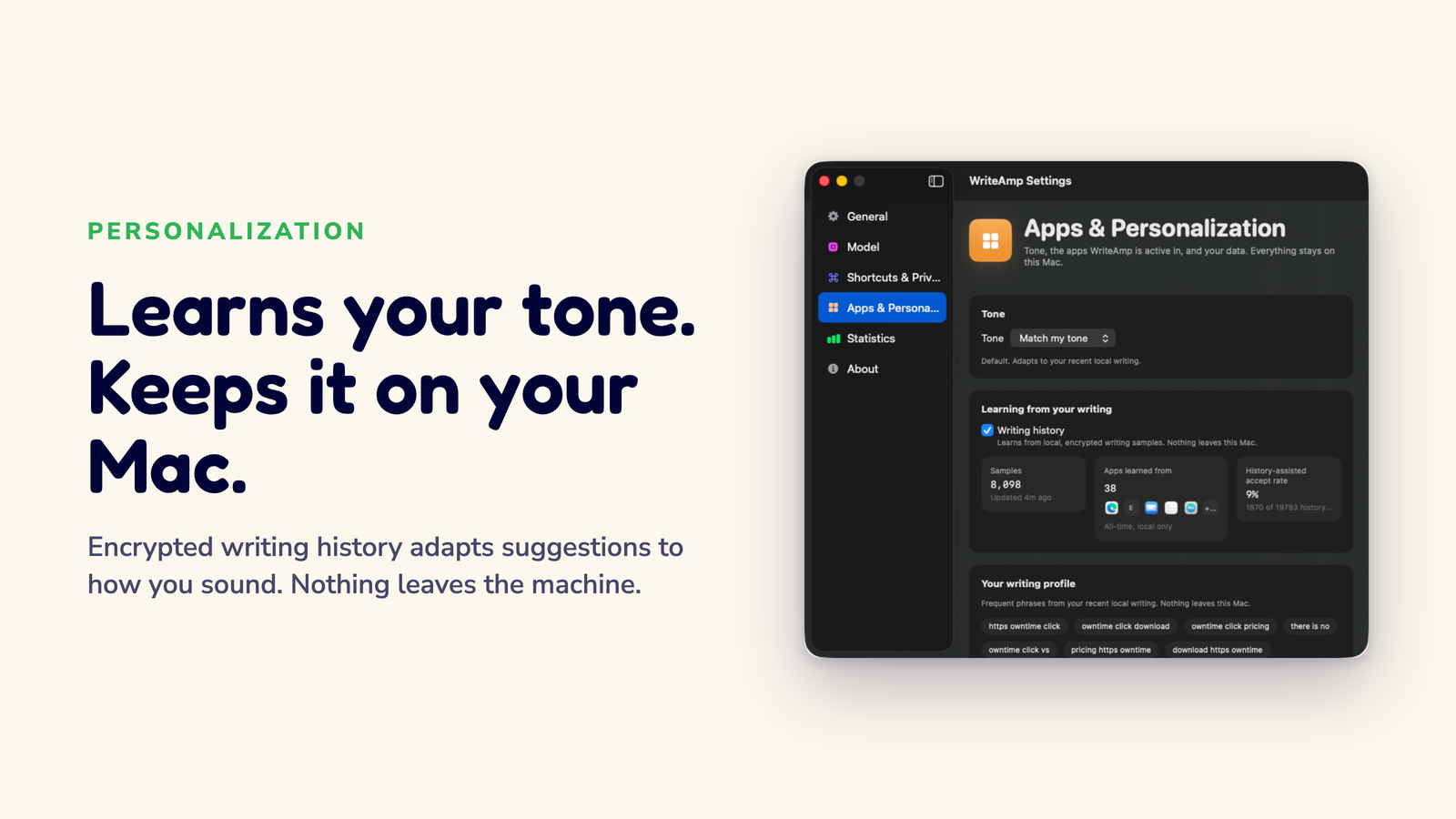
Samples are stored in an encrypted database inside your Mac's Application Support folder. The encryption key lives in your Keychain. The data is not readable by other apps or by other users on the same Mac.

Per-app control

Turn learning off, exclude a specific app, or wipe the whole history with one tap. Disabling learning doesn't kill suggestions. The engine still works, it just stops learning from your past writing.

Visible phrase receipts

Settings shows the exact phrases WriteAmp has stored and how often suggestions were generated with your history available. The "Apps learned from" list is computed from the apps you actually typed in, not promised up front.

51 ms
p50 suggestion latency · mini tier, published benchmark
$29
once, unlimited suggestions on up to three Macs
0
words of your writing ever sent to a server

Full methodology and per-case results →

“I typed ‘thanks for the quick’ and it just… finished my sentence? I hit Tab without thinking. Kinda spooky how it knew my phrasing,” says Maya, who writes support emails all day in Berlin.

Maya has used WriteAmp since the first beta. She still corrects it sometimes. That's the point. Most autocomplete tries to be clever. This one tries to be quiet.

Pick how WriteAmp should feel

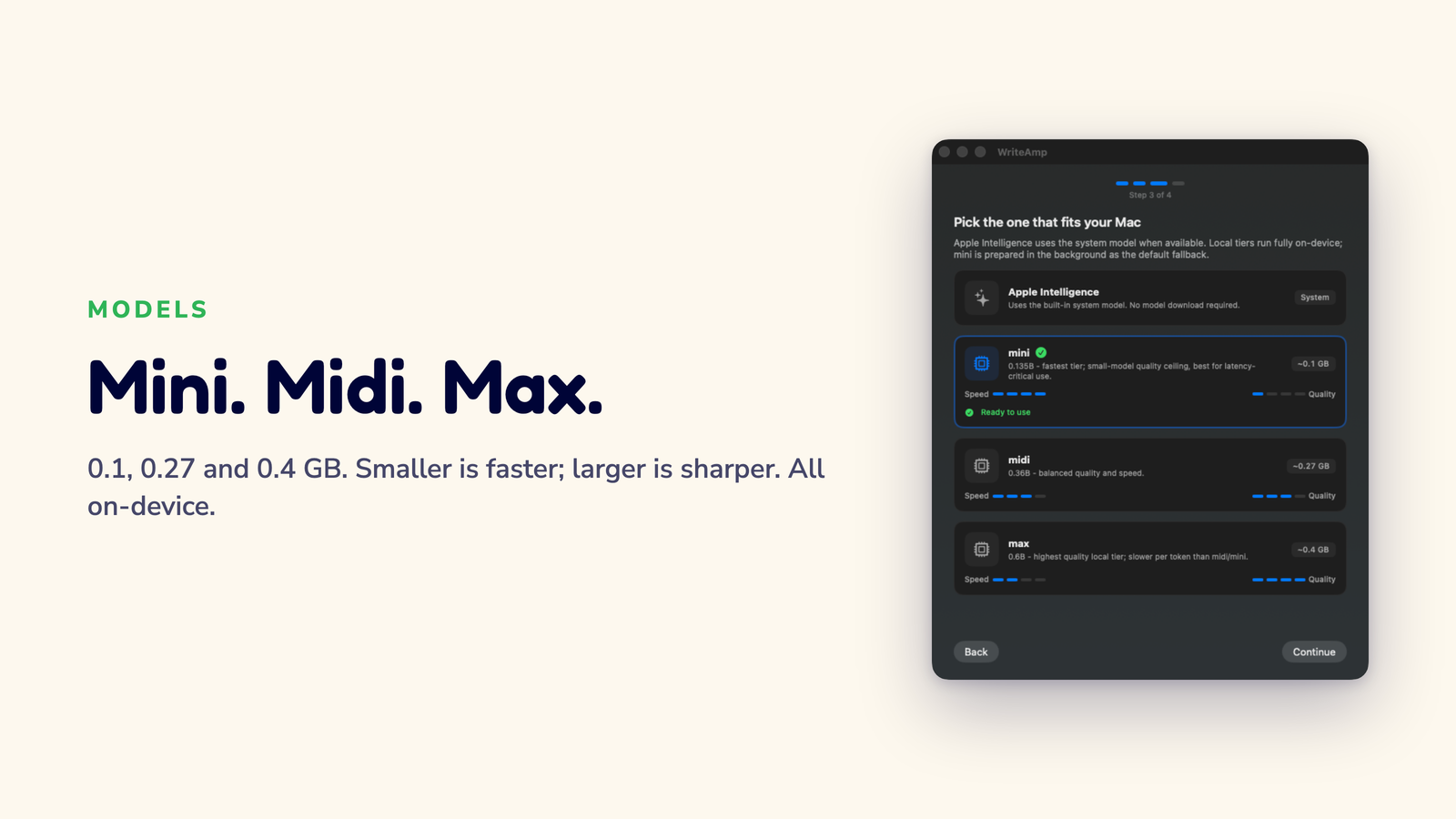
Choose a lighter, faster mode for everyday typing, a stronger local mode when you want better phrasing, or Apple Intelligence on supported Macs. The habit stays the same: see a suggestion, press Tab, keep moving.

Local

mini · midi · max

Three on-device tiers, all private. mini feels instant and is best for battery life, midi is the balanced everyday choice. max is also what powers every non-English language WriteAmp supports, pick it whenever you write outside English, or whenever you want better phrasing in English. All three run privately on your Mac.

Private by default Offline Small download
Apple Intelligence

Apple's built-in engine

On newer Macs, WriteAmp can also use Apple Intelligence. It still works with the same Tab key, still runs on-device, and does not upload your writing. Use it when you prefer Apple's built-in writing engine and do not want to download a local model.

No model download macOS 26+ Stays free after trial Opt-in

A small helper for everyday writing

Suggestions are short, easy to ignore, and accepted only when you press Tab. The interface is the Tab key; everything else is in Settings.

Memory you can read

It remembers what you wrote, and it shows you what it remembers.

Open Settings → Apps & Personalization to see the exact phrases WriteAmp has stored, a counter showing how often suggestions were generated with your history available, and a list of which apps you typed in. Turn the whole thing off, exclude a single app, or wipe it in one tap.

What you'll see in Settings

  • Sample count247 samples from 12 apps, updated 4 minutes ago
  • Top phrases“review the edits”, “by end of day”, “let’s sync on”
  • History-aware rate42 of 168 suggestions (25%) were generated with your history available
  • Per-app toggleDisable learning for Mail while keeping it on for Slack
Languages

Write in 8 languages on the multilingual model.

English runs on the model you pick. The moment you type in another language, WriteAmp swaps to its multilingual local model, no English fallback, no romanised Japanese, no broken diacritics.

ENEnglish ESSpanish FRFrench DEGerman PTPortuguese (BR) JAJapanese KOKorean HIHindi ARArabic Experimental ZH简体中文 Coming soon
Works where you write

Use it in the apps you already have open.

Write emails, notes, browser forms, docs, chat replies, and code comments without switching apps or opening a separate AI window.

MailSafari / ChromeVS Code / CursorXcode
Typos

Catch the obvious typo.

Missed a letter? WriteAmp lights up the fix so you spot it before anyone else does.

Control

You decide what gets inserted.

Press Tab to take it. Keep typing to skip it. Nothing goes in on its own.

Simple

Pay once. Use it for life.

Subscription autocomplete apps run $6–9 a month and cap free use at 100 words a day. WriteAmp is $29 once, unlimited suggestions, forever, on up to three Macs. No cloud account. And on macOS 26+ Macs, Apple Intelligence mode stays free even after the trial ends.

Screen context

Optional screen context, on by default.

WriteAmp can read the app you are writing in to better understand the conversation, the email thread, the Slack channel, the code review. It runs through Apple Vision on-device and is off in apps you exclude.

One Tab habit, every app

WriteAmp is the same ghost text in Mail, browsers, editors, notes, and chat fields. You do not switch apps to get a suggestion; the suggestion comes to whatever app is open.

Email replies

Move faster through follow-ups, confirmations, and scheduling notes while keeping your own polite, natural phrasing.

Work apps and browsers

Use the same Tab habit in forms, support tools, CRMs, docs, chat fields, and the browser tabs you already live in.

Editors and notes

Finish short comments, notes, TODOs, and prose without leaving VS Code, Cursor, Xcode, TextEdit, or your note-taking app.

Your writing stays put

Your writing stays
where you typed it

WriteAmp learns from your writing, but that learning happens on your Mac. Your history is encrypted, never uploaded, and you can inspect or clear it anytime from Settings.

  • Encrypted local history

    Writing samples are stored in an encrypted database on your Mac, not on a server.

  • No cloud prompts

    Your text is not sent to a cloud completion service. Even the optional Apple Intelligence path is on-device.

  • Network is for downloads and licensing

    The only network use is downloading local models, Sparkle update checks, and verifying your Lemon Squeezy license key.

  • You control the data

    Turn writing history off, disable learning per app, or wipe everything in one tap.

  • Signed Mac app

    The download is Developer ID signed and notarized by Apple.

Start writing faster in minutes

Download the DMG

Grab the latest signed build, about a minute on most connections.

Drag to Applications

Standard Mac install. First launch walks you through permissions.

Pick an engine

Choose a local tier or Apple Intelligence in Settings → General.

Type & press Tab

That’s the whole interface. Accept when you like a suggestion.

Questions & answers

Does my text ever leave my Mac?
No. Suggestions are generated on your Mac. Update checks and downloads use the network; your writing content is not uploaded for completion.
Which apps does it work with?
Mail, TextEdit, common browsers, VS Code, Cursor, Xcode, notes, forms, and many chat fields. It is designed for the places you already type.
How does the personalization actually work?
WriteAmp keeps a short, encrypted history of text you've typed in apps you haven't excluded. When you start a new sentence, it can use recent and similar phrases as local context so suggestions sound more like you. Open Settings → Apps & Personalization to see the exact phrases stored, exclude apps, pause learning, or wipe everything at any time.
Does personalization work with Apple Intelligence mode?
No. Your local writing history is only used by WriteAmp's local mode. Apple Intelligence mode stays separate. You can switch between them at any time, and your local history is preserved.
What does WriteAmp mean by “history-aware rate”?
The history-aware rate in Settings is the share of suggestions that were generated with your writing history available, plus the share of those suggestions you accepted. It is not a claim that the model changed because of your history. Think of it as a receipt for when history was in the prompt.
What Mac do I need?
An Apple Silicon Mac running macOS 14 or later.
How much will it cost?
WriteAmp is a one-time purchase: $29, lifetime use, no subscription, no recurring fee, no daily word caps. Suggestions are unlimited from day one. On macOS 26+ Macs, Apple Intelligence mode stays free even after the trial ends.
What permissions does it need?
Accessibility and Input Monitoring are required, Accessibility lets WriteAmp see the active text field, and Input Monitoring lets the Tab key accept a suggestion. Screen Context (labelled “Screen Recording” in System Settings) is additionally required for reliable caret placement in canvas-rendered fields such as Google Docs, Notion, and Figma text. Everything is processed on-device; nothing is recorded or uploaded.
What is Apple Intelligence mode and do I have to use it?
On macOS 26 or later with Apple Intelligence available, WriteAmp starts with Apple's on-device model on fresh installs; on other supported Macs it starts with WriteAmp's local model. Both run on-device with the same Tab-to-accept interaction, and you can switch engines at any time.
What languages does WriteAmp support?

English stays on the model you pick (mini, midi, or max). The moment you type in another language, WriteAmp swaps to its multilingual local model so suggestions stay in that language, no English fallback, no romanised Japanese, no broken diacritics. Supported today: English, Spanish, French, German, Brazilian Portuguese, Japanese, Korean, Hindi. Arabic is supported as Experimental. Simplified Chinese is detected and surfaced as “Coming soon”.

You can pin a language, or let WriteAmp follow the cursor automatically. Settings → General → Language shows per-language availability with Supported / Experimental / Coming soon pills. The first time you type in a non-English language, the multilingual model downloads automatically.

How does WriteAmp compare to CoTypist and the open-source alternatives?
CoTypist is the best-known app in this category and it's genuinely good, the Tab habit is nearly identical. The honest differences: CoTypist is a subscription ($6/month for one Mac, $9/month for three, with a free tier that runs out after 100 completed words a day), while WriteAmp is $29 once with unlimited suggestions on up to three Macs. WriteAmp also publishes its latency and quality benchmarks, shows you the exact phrases personalization stores, and labels every language's real support level. There are also free open-source options, KeyType, Cotabby, TabType, that run fully locally. We respect them, but they're early and app coverage varies. WriteAmp is the notarized, production-hardened path. The full comparison, including where WriteAmp loses, is on the compare page.
How does the trial and license work?
The first 30 days are free with all features enabled, followed by a 7-day grace period. After that, local-model suggestions pause until you enter a license key or buy one for $29, Apple Intelligence mode remains available on supported Macs. It is a one-time purchase with lifetime use, handled by Lemon Squeezy, and one key covers up to three Macs. You can buy a license here.

Try the missing tab key

Built for Apple Silicon Macs on macOS 14 or later. Buy once, grant permission once, and use Tab suggestions wherever you write.
✓ On macOS 26+, Apple Intelligence mode stays free even after the trial ends.
Free for 30 days · no credit card required · full refund within 30 days of purchase.

$29 once · lifetime updates