
The Tab Key Is the Most Underrated AI Interface on Your Mac
Startups raised nine figures to build chat boxes that rewrite your work. The most useful AI interface on your Mac is a key that's been on your keyboard since 1984. Here's why the interaction beats the model.
And what that means for what you should actually install.
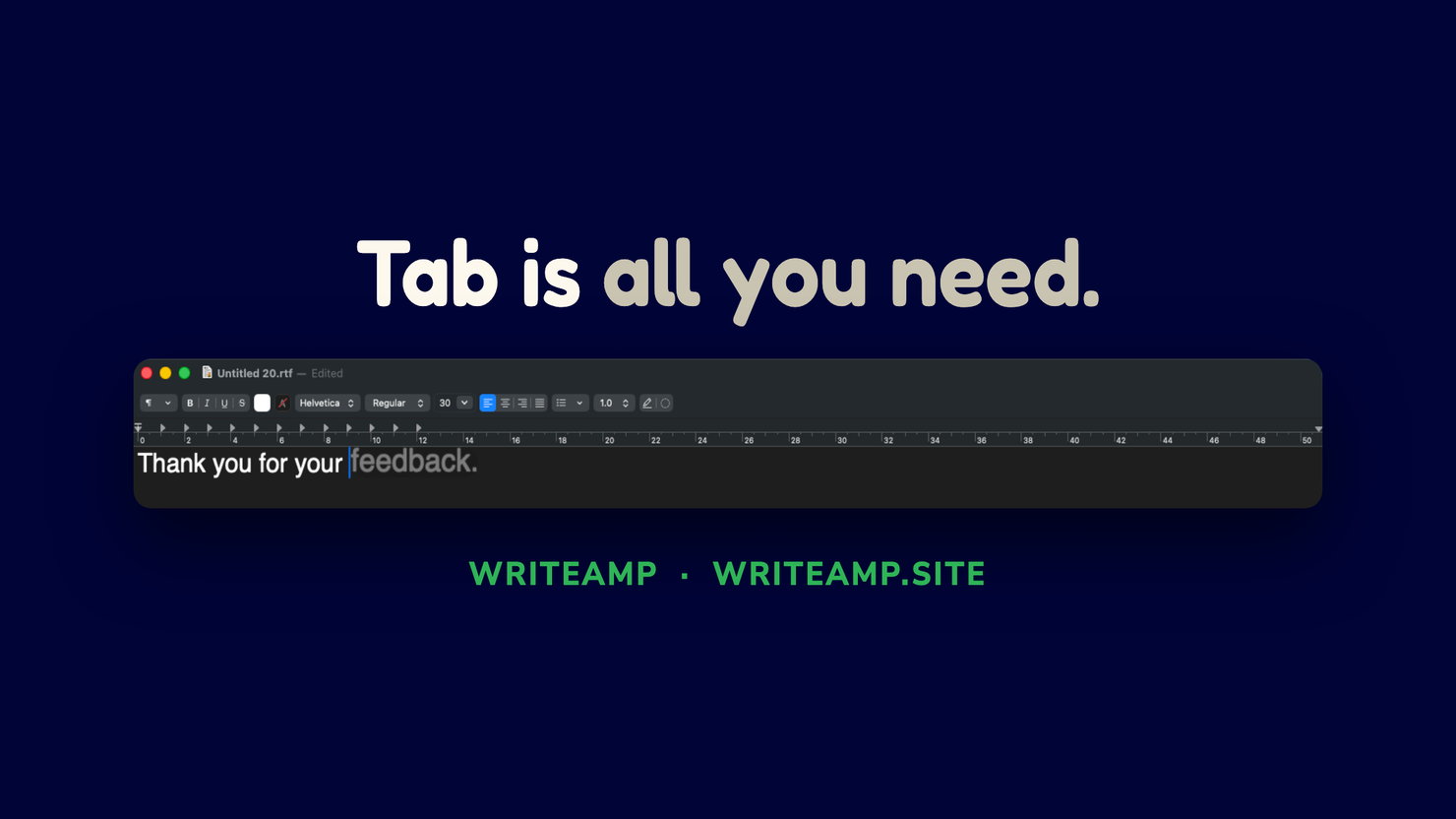
“I kept hitting Tab without thinking after like, two days? My fingers just... knew. Didn’t even notice I was using it,” says Luis, who writes product docs in Lisbon.
Everyone optimised the model. Nobody fixed the interaction
You know the drill. Open a sidebar. Paste your draft. Type a prompt. Stare at the spinner. Copy the result back like a lab technician handling a sample. That's most AI writing software in 2026, and it has a design flaw that no amount of model size fixes.
I spent a year testing the opposite approach. Ghost-text autocomplete that lives at your cursor, accepts with a single key, and stays out of the way the rest of the time. Nobody was watching when I started. Reading a 2025 paper on AI-text detection made the whole thing click: the vendors optimised the generator and forgot the moment a human actually meets it.
The interaction is the interface. And interface is where the value lives.
You already own this. You've used it in VS Code for a decade
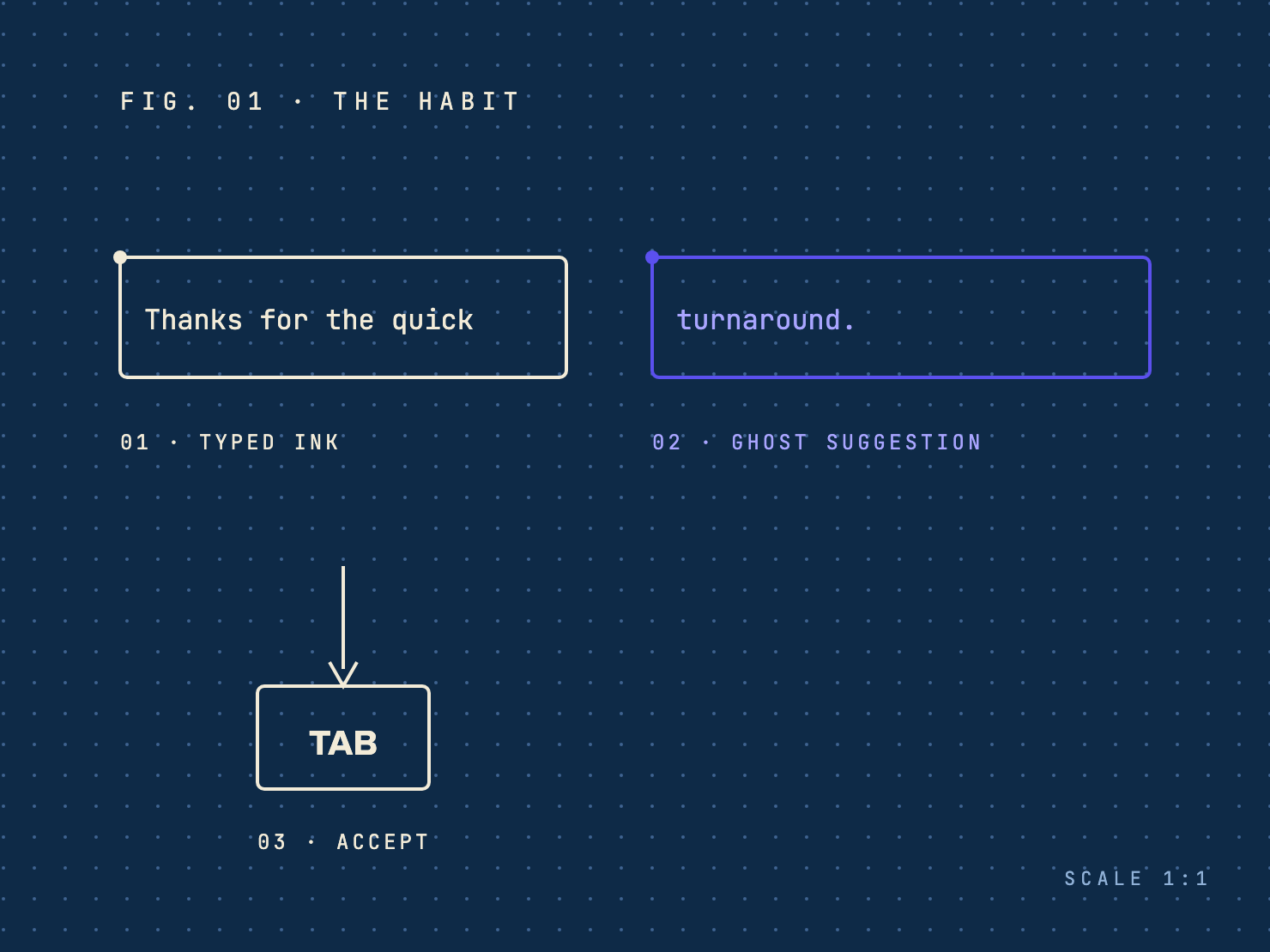
Developers met ghost-text completion years ago. Type, see a faint continuation, press Tab when it's right. It spread through every serious editor because it respects flow. The suggestion is ignorable by default. Missing it costs nothing. Accepting it is one key, the same key, in every app, every time.
It never escaped code editors. Partly laziness, partly economics. A single key has no subscription upsell attached, and it's very hard to bolt a usage meter onto muscle memory.
Chat is a context switch wearing a trench coat
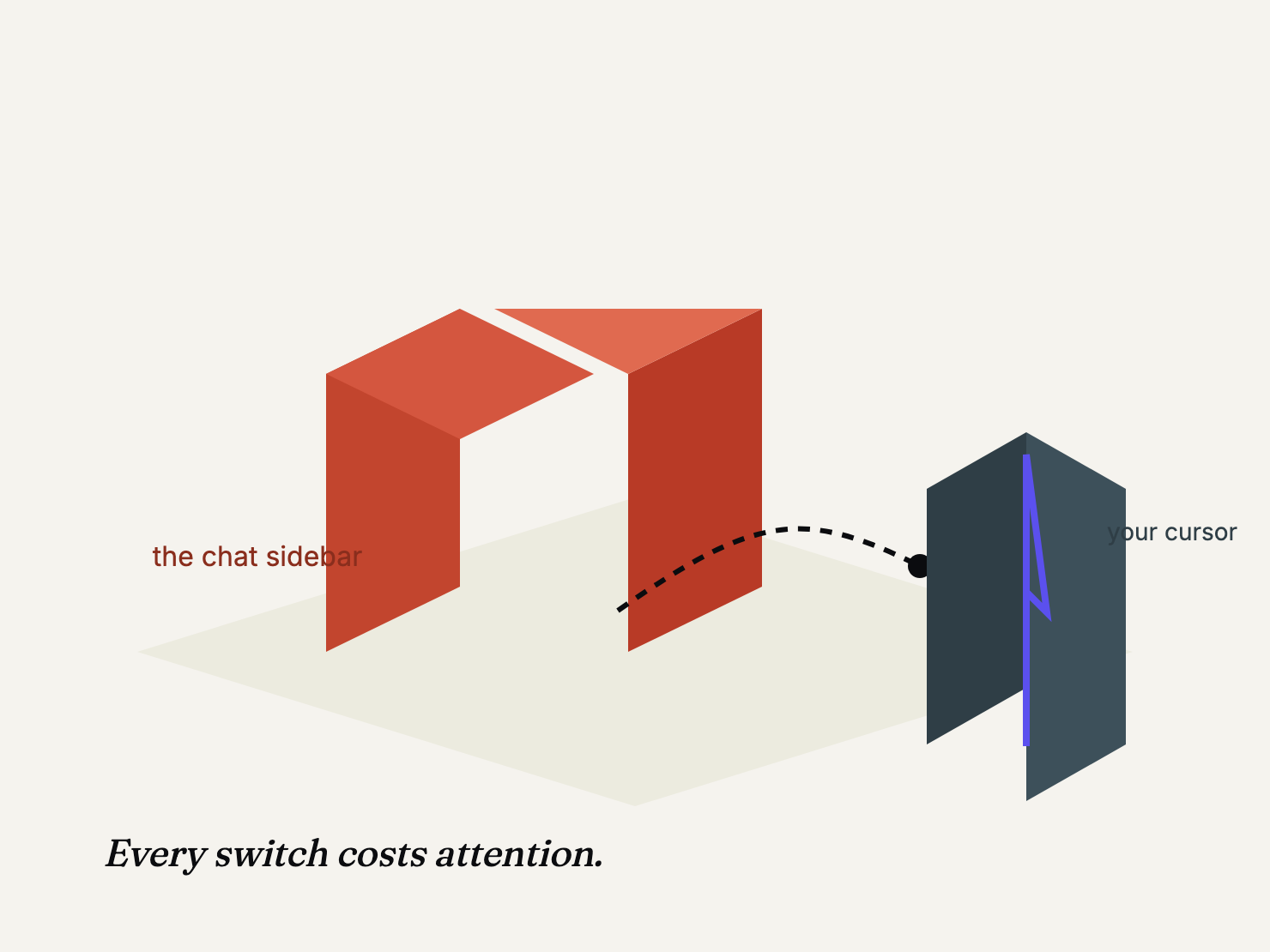
Here is the trade most assistants quietly make. To finish a sentence for you, they need you to leave the sentence. Open the sidebar. Sue out a prompt. Wait. Copy back. Each step is a context switch, and a context switch eats more attention than the words you were trying to save.
I noticed it in my own drafts. I'd open a rewrite tool, get a polished paragraph back, and realise the polished paragraph said the same thing my rough one did, a minute later, with my flow gone. The tool saved me typing and cost me attention. That trade is flat.
Count it honestly. A tool that saves words but breaks your rhythm loses on the timecard even when it wins the sentence.
Tab-to-accept inverts the whole cost structure
You never leave the field. There is nothing to open, nothing to dock, nothing to switch to. The suggestion appears in the app you're already in, in the system font, at the cursor.
Ignoring a suggestion is free, because there's nothing to dismiss. No dialog, no panel, no unread badge. You just keep typing and it's gone.
Accepting is one key. The same key, everywhere, always. Muscle memory forms in about two days, and once it does you stop seeing the feature and just use it, which is the point.
The suggestions stay short. A few words, not a paragraph. The tool finishes your thought. It doesn't replace it.
The model matters less than you've been told
Vendors compete on raw model size, and for this job the size is a side quest. Completing the next few words you were about to type is a small enough task that a small local model does it in milliseconds, not seconds.
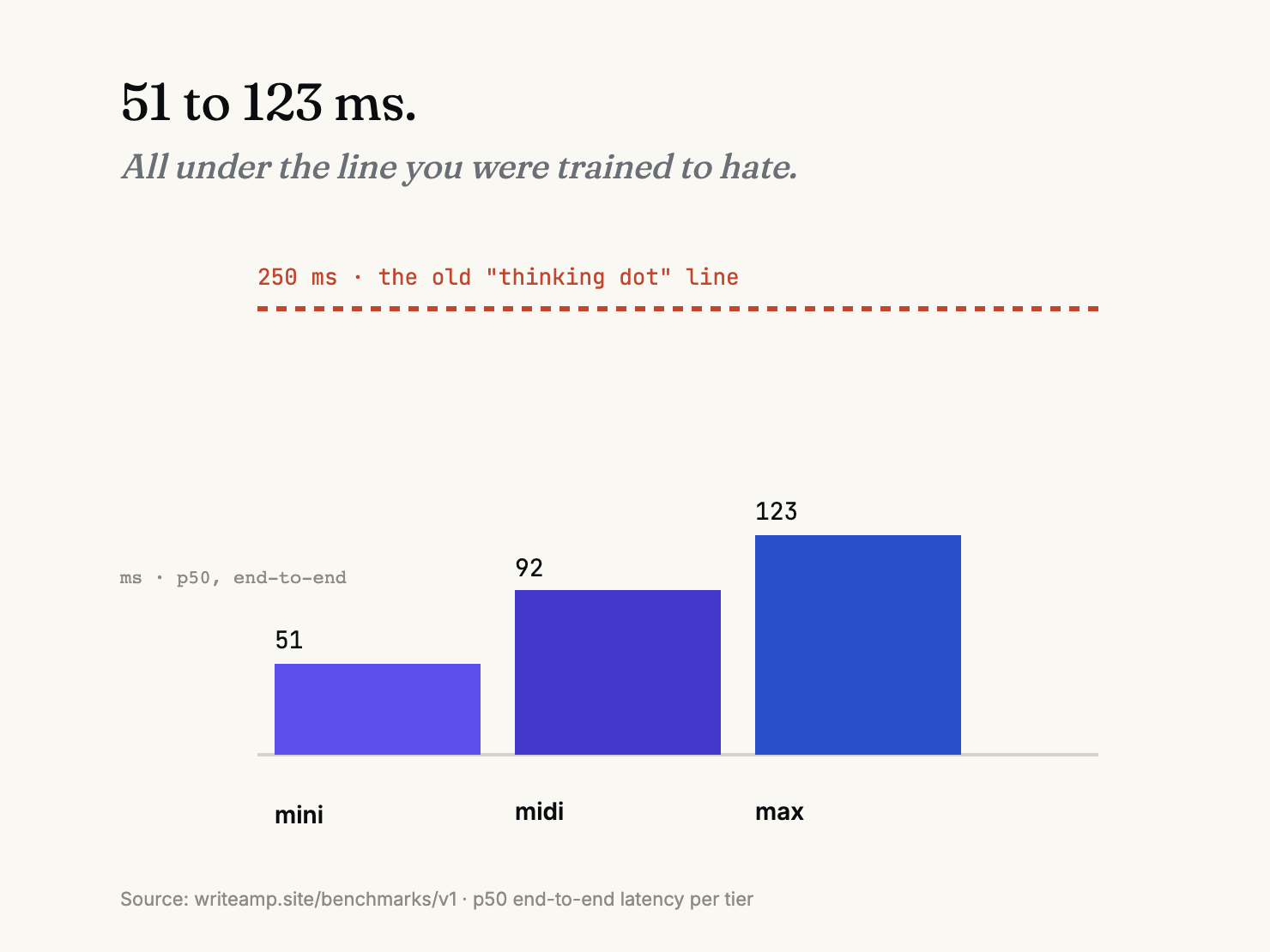
Our benchmark runs across the three tiers WriteAmp ships put p50 completions at 51 to 123 milliseconds depending on tier, all comfortably under the old 250-millisecond thinking-dot threshold you've been trained to despise. The first word streams in from the first decode batch. You experience the suggestion as it's generated.
An enormous frontier model cannot help you here, because the bottleneck was never raw intelligence. The bottleneck is whether a suggestion reaches your cursor before you've typed past the point where it would have helped. That is a systems problem. It's why the interaction is the moat, not the model.
The honest catch
I built this, so let me give you the straight story instead of a demo reel. Tab-to-accept works anywhere the macOS accessibility stack can see a caret: Mail, Notes, Slack, most browsers, most editors, a lot of chat fields. Canvas-rendered apps like Google Docs and Notion are fussier. They need an extra permission and some on-device OCR to locate the caret. That's real, shipped behaviour, and it's documented.
The second catch is temperament. A wrong suggestion costs more trust than no suggestion, so the correct behaviour is often to show nothing at all. People call it a bug for the first week, then they understand that an autocomplete knowing when to shut up is the whole product.
If you're weighing whether to run a writing tool on your Mac at all, the privacy question deserves its own answer, and the short version is simple: a local model has no reason to phone home. That point alone is worth more than any sentence a sidebar can finish.
What to do about it
Try the habit before you judge it. Autocomplete sounds like a small thing until you've used it for a week. Day one you notice the suggestions. Day three you stop noticing them and just press Tab when they're right. That's the whole product: a reflex, not a workflow.
WriteAmp is free for 30 days with nothing gated off, so the test costs you nothing but a few minutes of typing. If it feels too eager, tell me where the line should be. That's the dial I'm still tuning, and honest feedback from people who actually type beats my opinion of my own work every time.
On macOS 26+ Macs, Apple Intelligence mode stays free even after the trial ends — you always keep a working path to suggestions.
Written by Amit Ashwini, who builds WriteAmp and runs its marketing. More: why on-device beats the cloud · mini, midi, and max compared · benchmark methodology.