
Personalization Is a Black Box Until You Force It Open
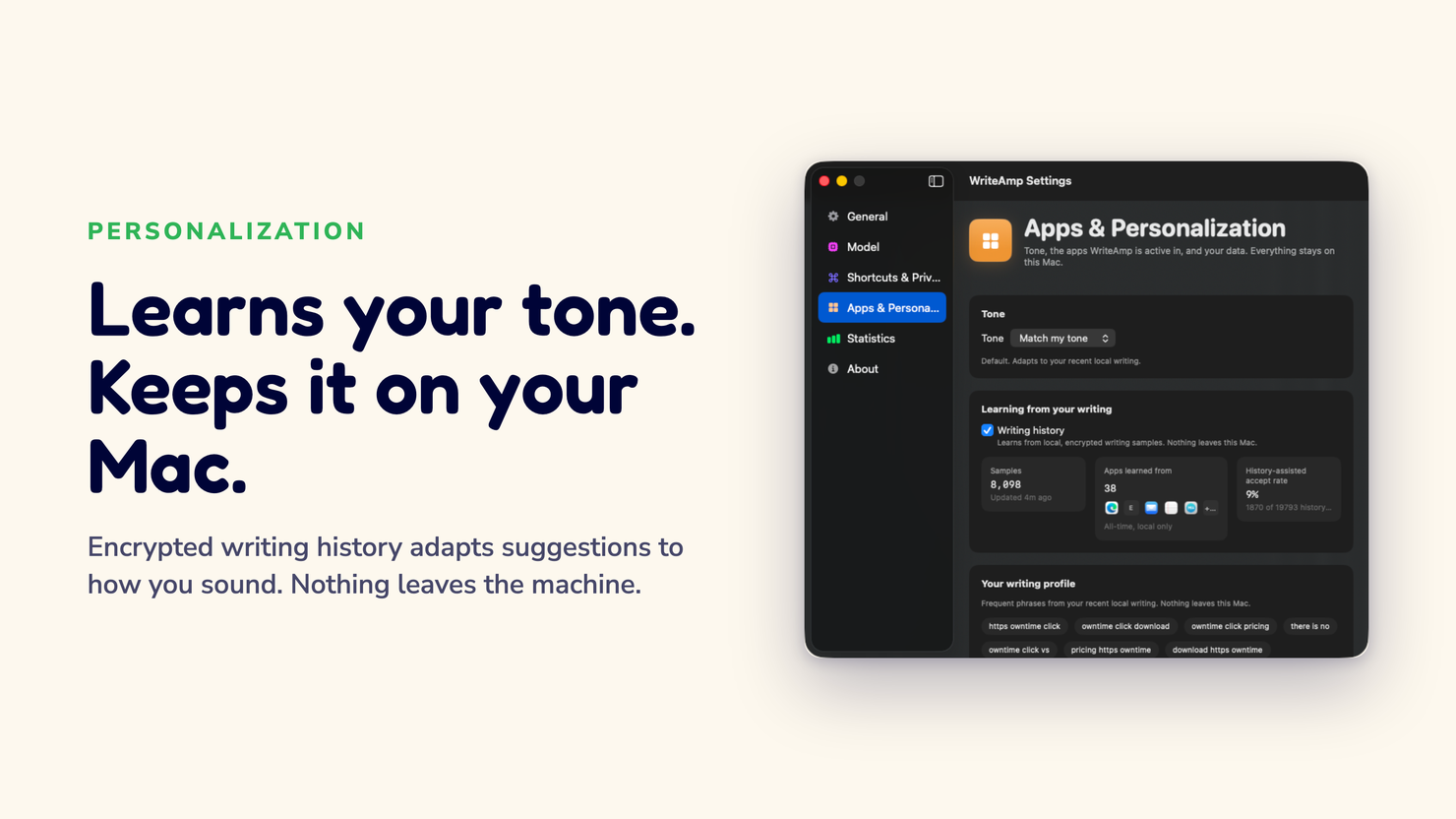
"Personalized" usually means a tool quietly gets better at predicting you while you never see what it kept. WriteAmp flips that. Every phrase it learned from you sits in a screen you can read, pause.
Or wipe. this is how.
“Show me what you learned? Nobody does that. I opened the box and it actually listed ‘let’s sync on’ — yeah, that’s my phrase, haha. At least it’s honest,” says Marco in Milan.
The box nobody opens
Ask a writing tool what it knows about you and it goes coy. Some vague phrase about learning from your style while the actual data, the real sentences you typed, stays somewhere you'll never audit it.
That's the entire trade, and it's usually made in a privacy policy nobody reads. To get suggestions that sound like you, you hand over your writing, on a server, and trust the promise.
I wanted the opposite arrangement. Learn from how you write, sure. But store the learning on your Mac, in a place you can open, and let the tool own up to exactly what it remembered. So I built that.

What WriteAmp actually stores
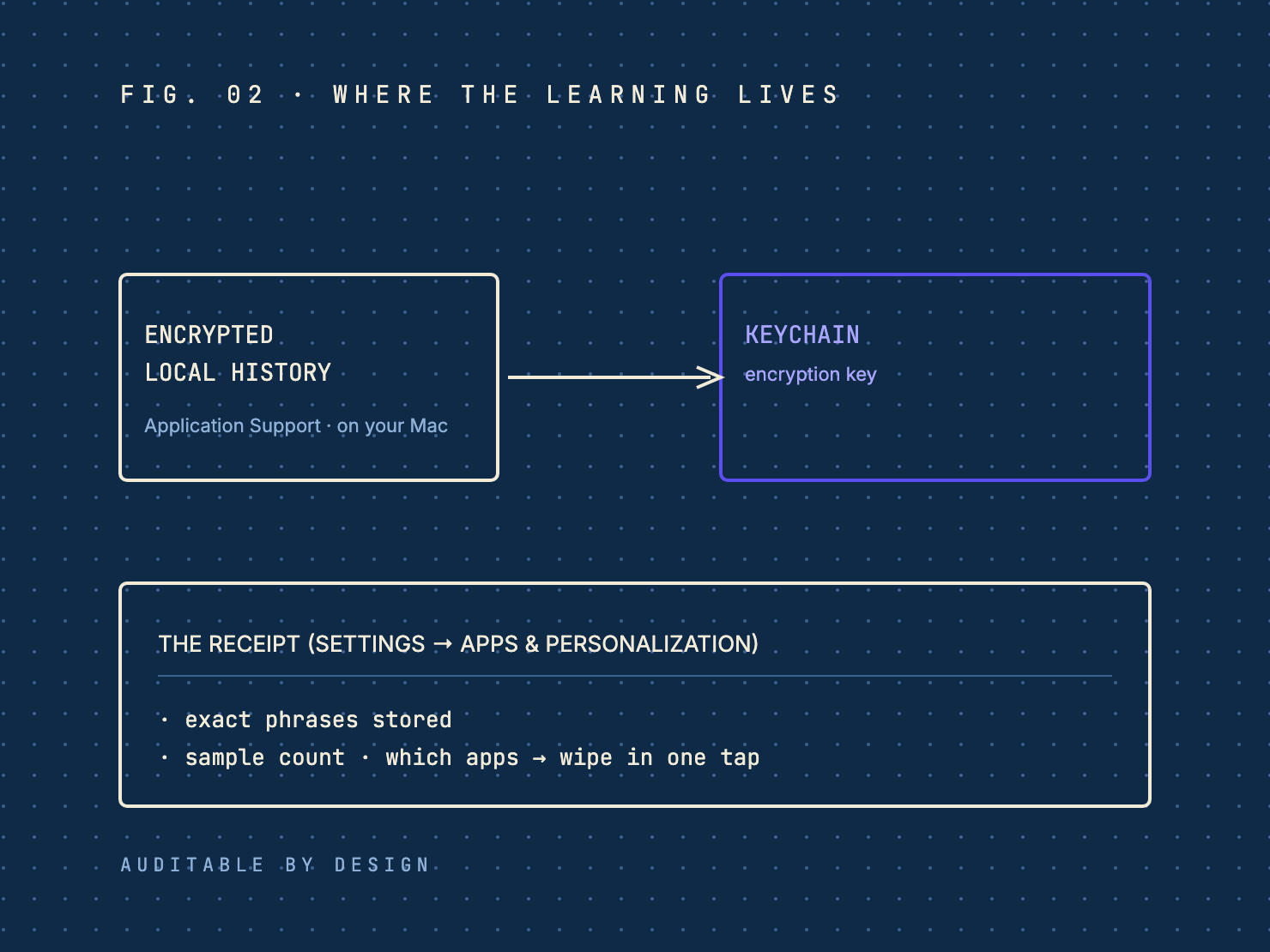
When it learns, WriteAmp keeps a short, encrypted history of phrases you've typed in apps you haven't excluded. That history lives in an encrypted database in your Mac's Application Support folder, with the key in your Keychain. It is not uploaded.
When you start a new sentence, WriteAmp can use recent and similar phrases from that local history as context, so the next-words suggestion matches the way you actually write. Not a marketing-ish "personalized for you" claim. A mechanism.
Opening the box
Under Settings → Apps & Personalization you can see it all, and I'll list it plainly:
- The exact phrases it stored. The actual strings, not a summary. Scan for anything you don't recognise.
- A sample count. How many samples it's learning from, like "247 samples from 12 apps."
- A history-aware rate. A receipt of when history was in the prompt. It does not pretend history changed the suggestion. It just tells you history was used.
- Which apps contributed. Computed from the apps you actually typed in, not promised up front.
The "shows its work" bit is the whole difference. Mysterious personalization was a thing I explicitly did not want to ship.
Control, not just transparency
Reading isn't the only lever. You can:
- Turn learning off entirely. The engine still suggests. It just stops using your past writing.
- Exclude a single app. Kill learning for Mail while keeping it on for Slack.
- Wipe the whole history in one tap. No digging, no confirmation maze, no "are you sure you want to remove 47 data points."
One detail matters and trips people up: disabling learning does not disable suggestions. It turns off the contextual memory, not the engine. The FAQ explains the split, and the privacy policy records every place your text is and isn't used.
The honest limit
This personalization applies to WriteAmp's local engine only. If you route through the optional Apple Intelligence path on macOS 26+, that mode stays separate. It does not read your local writing history. Two clean modes, switchable, and your history survives the switch.
Why this is the only version I'd trust
Every feature is a control you could remove and still have a working product. That's by design. A writing tool that refuses to tell you what it learned is one that hasn't decided whether it can afford to.
The trade you make with any autocomplete is proximity to your keyboard. You're going to hand it sentences either way. The difference between a tool you can audit and one you can't is whether that proximity is a feature you accepted or a tax you didn't notice.
Written by Amit Ashwini, who builds WriteAmp and runs its marketing. More: why the interaction beats the model · on-device vs. cloud · mini, midi, max, and Apple Intelligence.